
Events · Software
Race Timing System
Time every runner from their own card on laptops with no network, and print the graded result sheet before the group leaves the ground.

Inside the product
Real screens
Shown on demo data. Click any screen to see it full size.
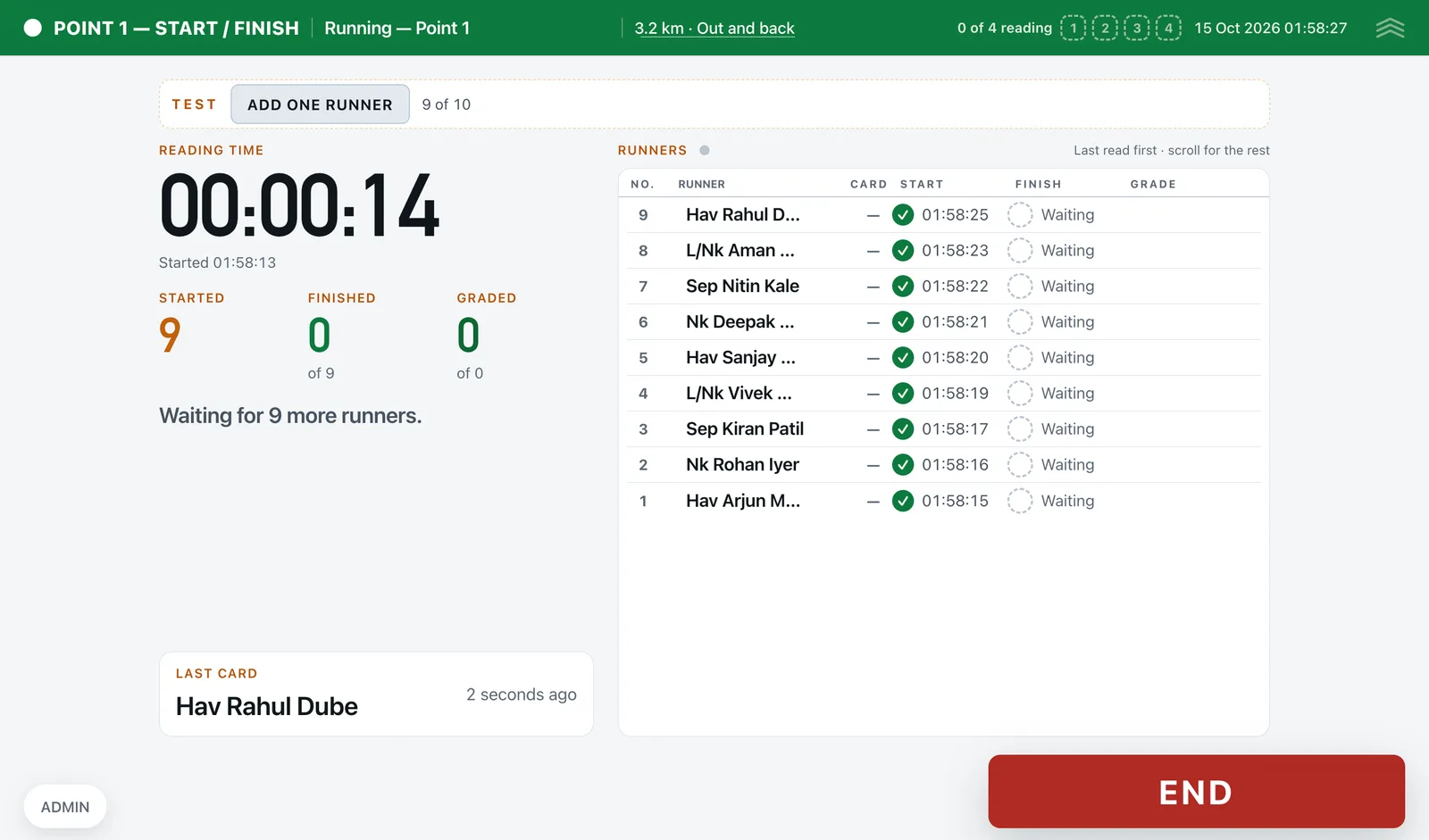
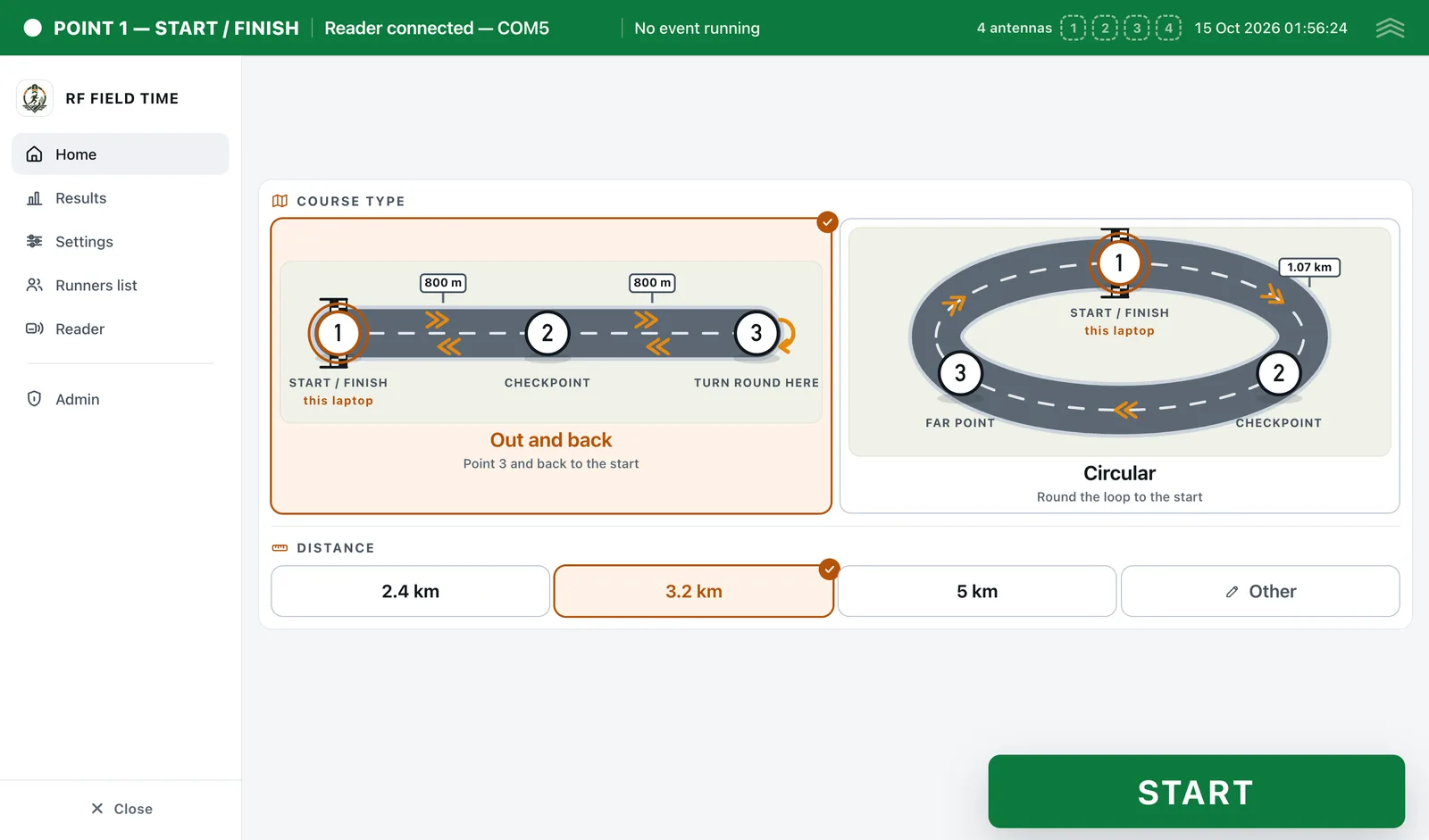
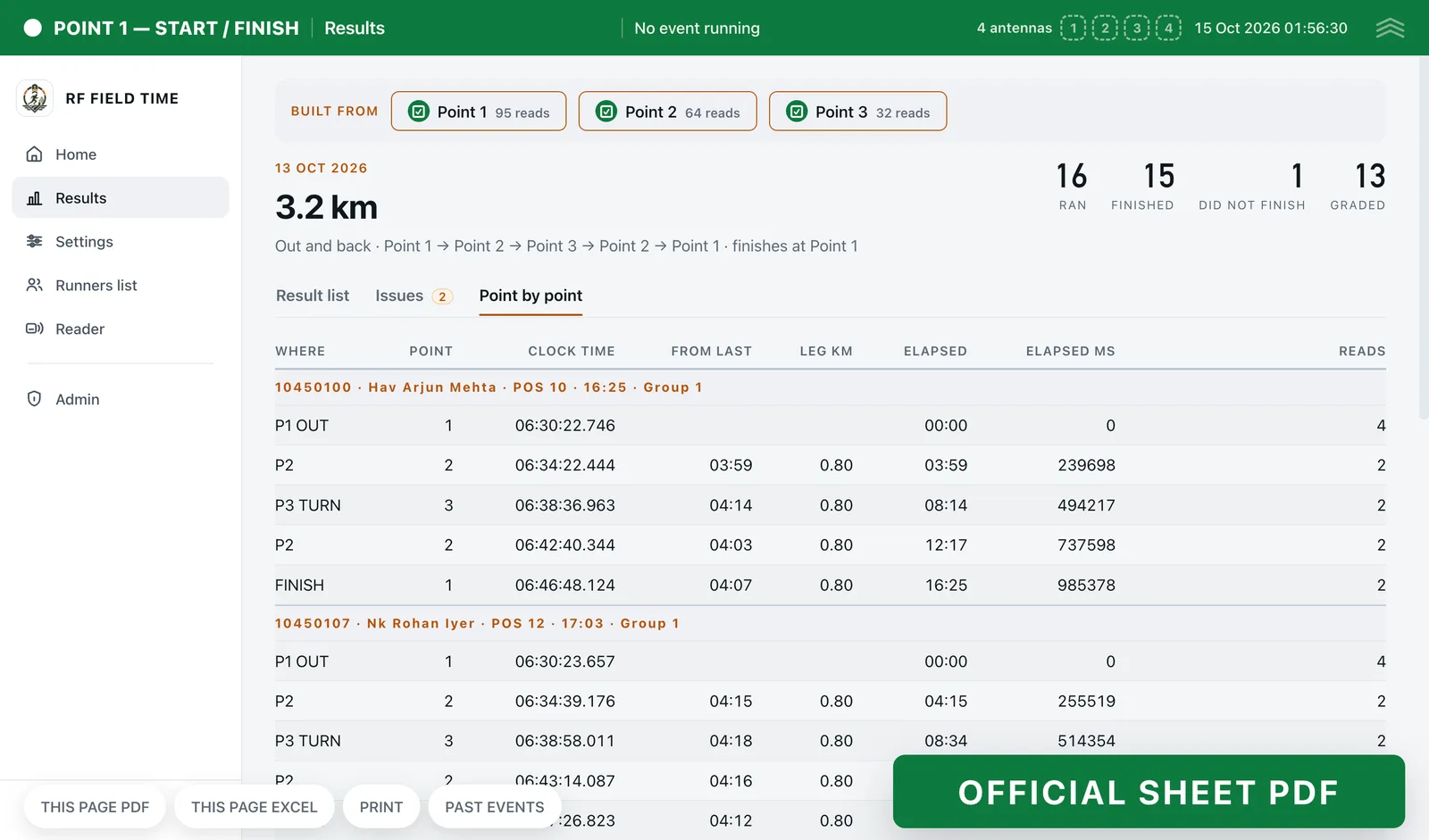
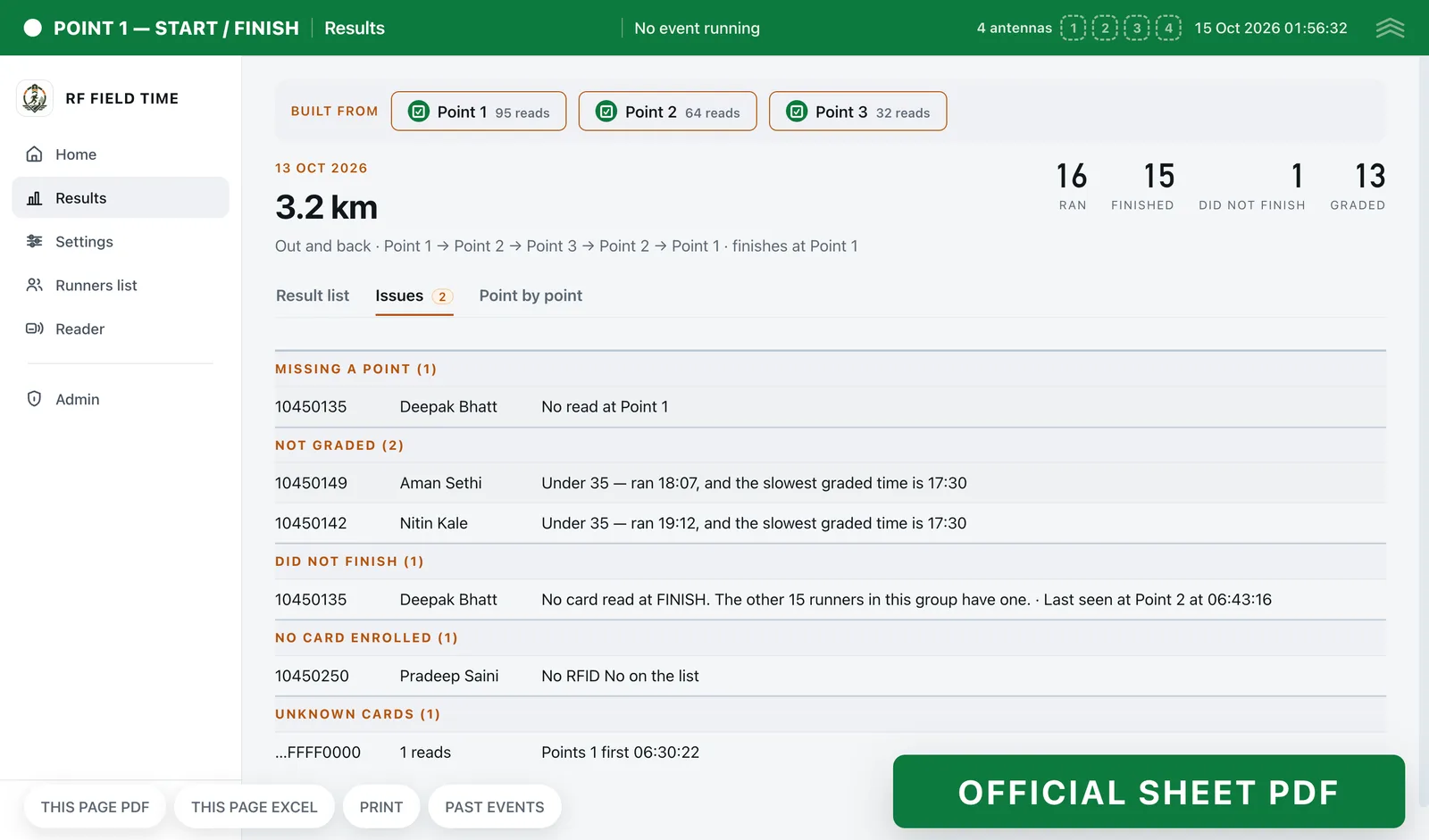
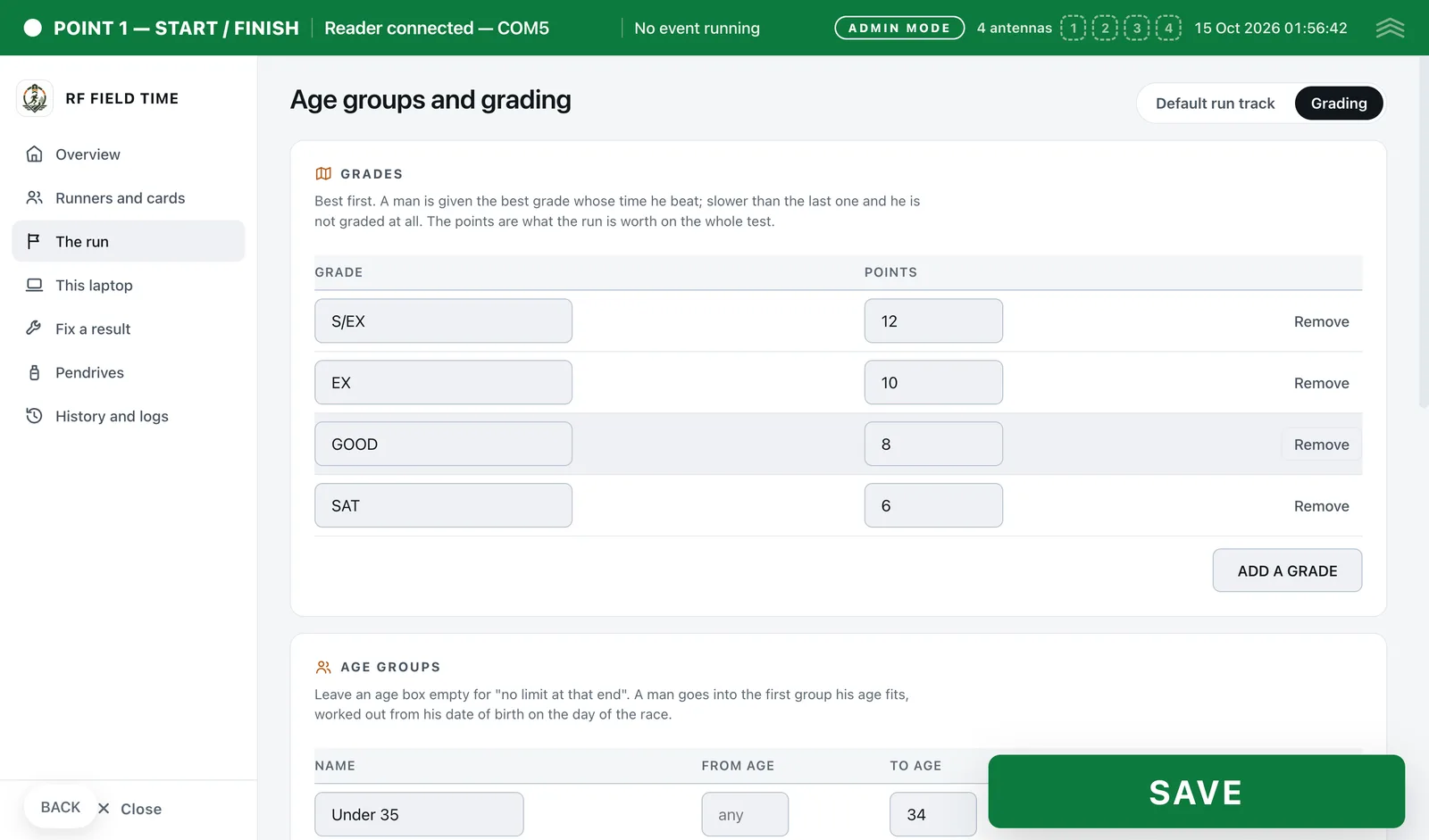
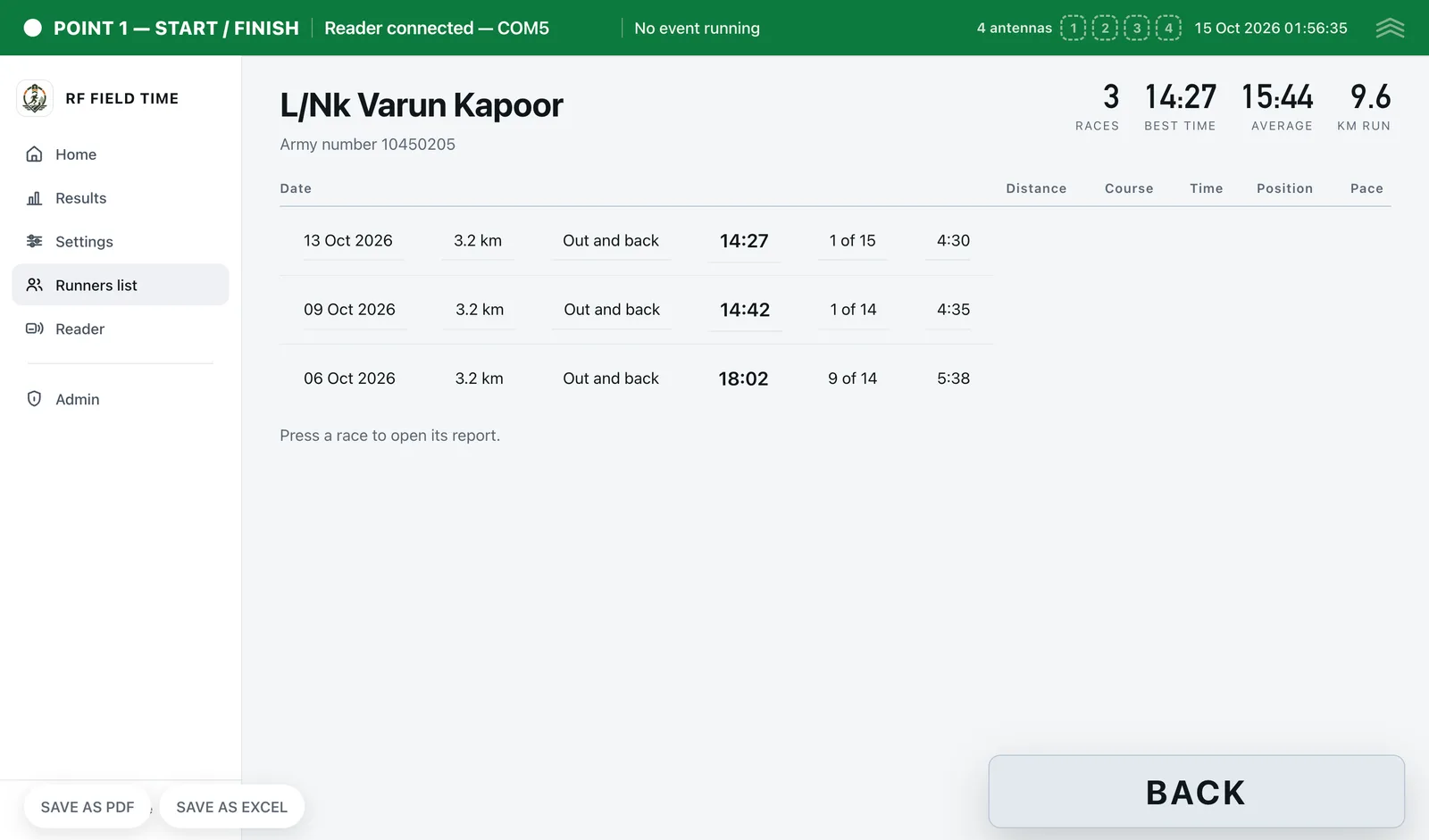
S-Tech Race Timing System times fitness runs and physical tests with UHF RFID cards. Three Windows laptops, each with a reader, stand at the start and finish, at a checkpoint and at the turn. There is no network of any kind: each laptop records on its own and the data is carried between them on an encrypted pendrive. Every runner's time starts from their own card at the start line, results are built from whichever points have arrived, and the official sheet, ranking, exceptions and age-group grading are saved as Excel or PDF on the ground.
3 laptops
One reader each: start and finish, checkpoint, turn
No network
Data moves only on an encrypted pendrive
Milliseconds
Kept on the result list and crossings export
Why this exists
What it fixes
These are the problems clients describe to us before they buy. If none of them sounds like your week, this may not be the right product — tell us and we will point you at a better one.
What we hear
Stopwatch timing with a written list cannot keep up with a wave of runners crossing together, and the sheet is argued about afterwards.
Run tracks are in open ground with no network, so anything that needs a server or the internet fails on the day.
Without checkpoints there is no proof that a runner went out to the turn and back.
Grading each runner against an age-group table and writing up the official sheet by hand takes hours after the run.
What is inside
11 modules
Every deployment turns on the modules you need. Nothing here is a separate purchase unless the plan says so.
Course & run setup
Out and back or circular course, 2.4, 3.2 or 5 km or any other distance, 1 to 20 rounds. The setup screen opens with the last values filled in, and START and END are the only two buttons in normal use.
Reader at every point
A UHF reader with up to four antennas on each laptop over USB. START is offered only when the reader has really answered, and the reader is idle outside the race.
Live run screen
Running clock, started, finished and graded counts, the last card read and the list of runners, readable from a metre away. A beep for every card and a different sound for a problem.
Timing engine
Each runner's start is their own last read at the start line, every other crossing is the first read. Splits at every point, waves found automatically from the gaps between starts, milliseconds kept on the result list. Start and finish both come from Point 1, so clock drift between laptops cannot touch a time.
Encrypted pendrive sync
Sync starts by itself when a pendrive is plugged in after END. Files on the pendrive are compressed and encrypted, importing the same data twice changes nothing, and a pendrive can rebuild a laptop.
Results & exceptions
Results from whichever points have arrived, with runners shown as waiting rather than DNF until the finish data is actually on the laptop. DNS, DNF, missed checkpoints, unknown cards and runners not graded are listed with reasons.
Age groups & grading
Grades, their points, age bands and the qualifying time per distance are all set in admin. Age is worked out from date of birth on the day of the race, and each runner gets the best grade whose time they beat.
Reports & exports
Official sheet laid out like the paper form, ranking sheet with pace, result list with splits, exceptions sheet and a crossings export to the millisecond. Every report saves as Excel (.xlsx) or PDF, or prints.
Runner history & month report
One page per runner with every race, best and average time, position and pace. A month report of every runner, races run and finished, and distance covered.
Roster & card stock
Runner list imported from and exported to CSV, with date of birth. Printed cards are kept as stock and issued to a runner from the box, so the same card is reused run after run.
Admin, fixes & audit
Admin behind a 4-digit PIN. Fix a runner's record with DNS, DNF, a time by hand or an attached card, join races that were split by mistake, and see a history of every change made on any laptop.
The RFID difference
What RFID adds over manual and barcode
Barcode and manual entry still work everywhere in this product. This is what changes when you add RFID on top.
- A whole wave crossing the start line is read without anyone writing a number down, and each runner's time starts from their own card.
- Every read is written to disk before it reaches the screen, so closing the app or a power cut mid-run loses nothing.
- Checkpoints prove the course was run: a runner missing a point that the rest of their group was read at is flagged by name.
- Cards are issued from stock and reused, so the same roster can be timed week after week at no extra cost per run.
Deployment
Cloud, your server, or no internet at all
The same software either way. This is a deployment choice, not a different edition with fewer features.
Fully offline
Runs on a local network with no internet at all, and syncs when one returns.
Runs on
- Windows 10 / 11
Integrates with
- Roster import and export as CSV
- Excel (.xlsx) and PDF export
- Printing
- Encrypted pendrive transfer between laptops
Who it is for
- Armed forces and police physical tests
- Training centres and academies with regular fitness runs
- Institutions timing the same group of runners week after week
Every S-Tech product
The same nine promises, on all 22 products
These are not per-product features. They apply to everything we build, and they are the reason our software works on sites where other systems do not.
RFID-first
Every product is built around RFID speed and modern technology from the start, not bolted on afterwards.
Any RFID hardware
Ready to configure with any make of RFID hardware. Barcode, QR code and traditional manual methods work by default.
Runs anywhere
Web, Windows, macOS, Linux, Ubuntu, Unix and Android. Your team uses the machine it already has.
Online or offline
Works fully online in the cloud, or fully offline on a local server, and syncs when a connection returns.
Self-hosted option
Host it on your own server and keep the data inside your building. No dependence on our infrastructure.
White-label
Available under your own brand — logo, colours, product name and domain.
Customisable
Every deployment is unique. Modules, fields, forms, reports and workflows are changed to fit your process.
Performance & reliability
Built for speed and uptime under real load, on real hardware, in places with unreliable power and network.
Secure by design
Encrypted data, role-based access, full audit trail and scheduled backups. You own the data.
A note on wording: where we say "fully offline" we mean the system runs on a local server on your own network with no internet connection, and syncs when one returns. Where we say "secure" we mean encrypted data, role-based access, a full audit trail and backups you control. We would rather be specific than round it up to 100%.
Questions
Before you ask us
The things buyers actually check. If your question is not here, ask it — we answer honestly, including when the answer is no.
Does it need internet or a network at the track?
No. Each laptop records on its own with no internet and no network between them. After END, the pendrive is carried round and each laptop syncs by itself when it is plugged in.
What if one laptop has not been collected yet?
Results are built from the points that have arrived and say so. Runners whose finish data is still on another laptop are shown as waiting, not DNF, and the officer can untick a point to produce a usable sheet early.
Can it grade runners by age group?
Yes. Grades, points, age bands and qualifying times per distance are set in admin. Age comes from date of birth on the day of the race, and runners with no date of birth are still timed and placed.
Do the laptop clocks have to match?
Not on the usual routes. Both the start and the finish come from the Point 1 laptop, so a clock that is a few seconds out at a checkpoint changes only that split, never the official time.
Related products and solutions
Software
Smart Attendance System
Hands-free attendance that walks through the door
Read moreSoftware
Entrance Automation System
Gates, visitors and vehicles handled without a register
Read moreSolution
Event & Race Timing
Accurate chip times for a mass start, live results, and certificates in the runner's hand before they go home.
Read moreSee Race Timing System on your own data
A demo runs on your process, not a canned dataset. Bring a real scenario and we will show you how it handles it — including the parts it does not.
Or call +91 97305 32888 — Monday to Saturday, 9:30 am to 6:30 pm.