
Business & Back-office · Software
HRMS
Employee records, device-fed attendance, leave, payroll with PF, ESI, PT and TDS, and HR letters, in a Windows and Mac desktop app you can run in our cloud or on your own server.

Inside the product
Real screens
Shown on demo data. Click any screen to see it full size.
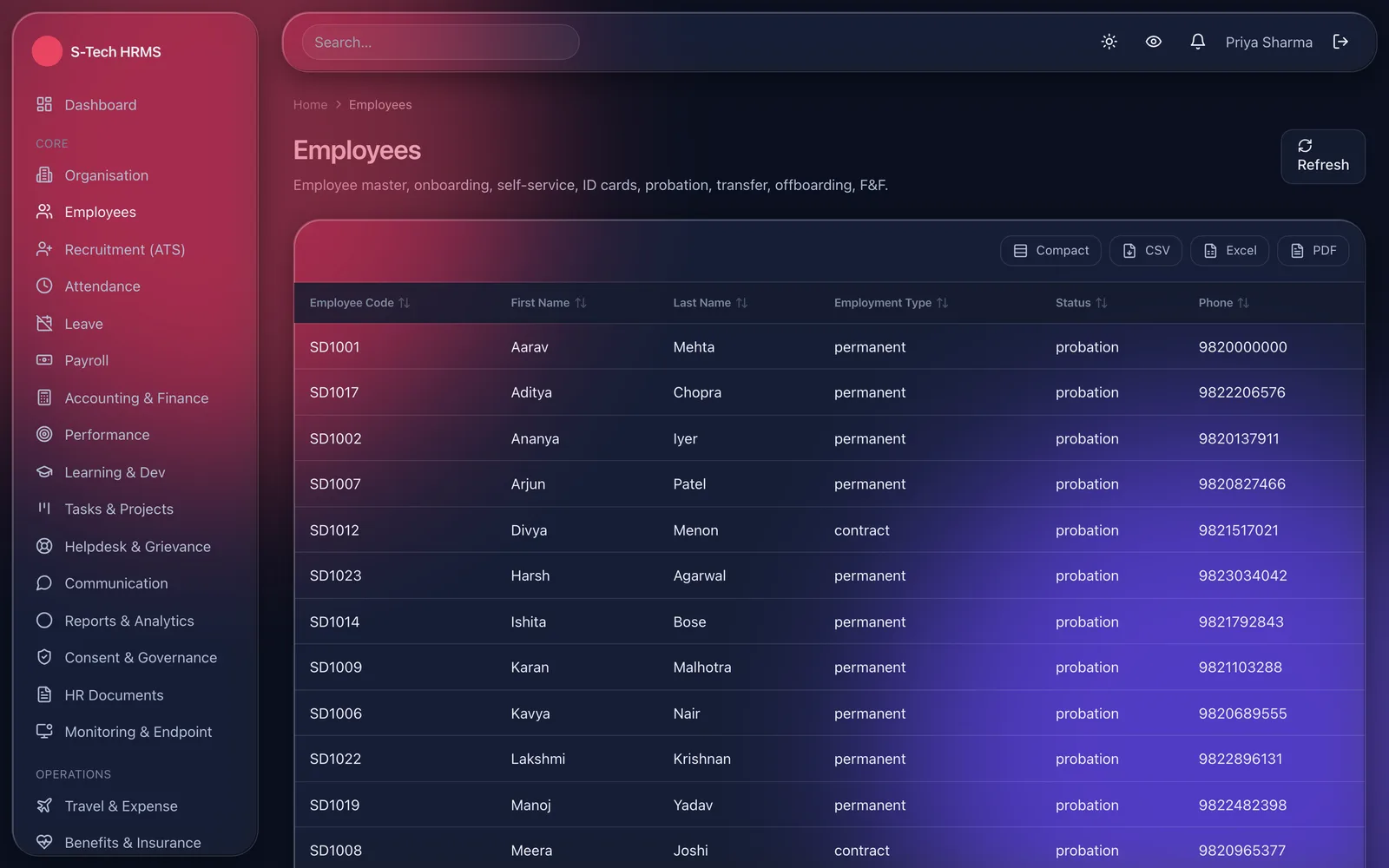
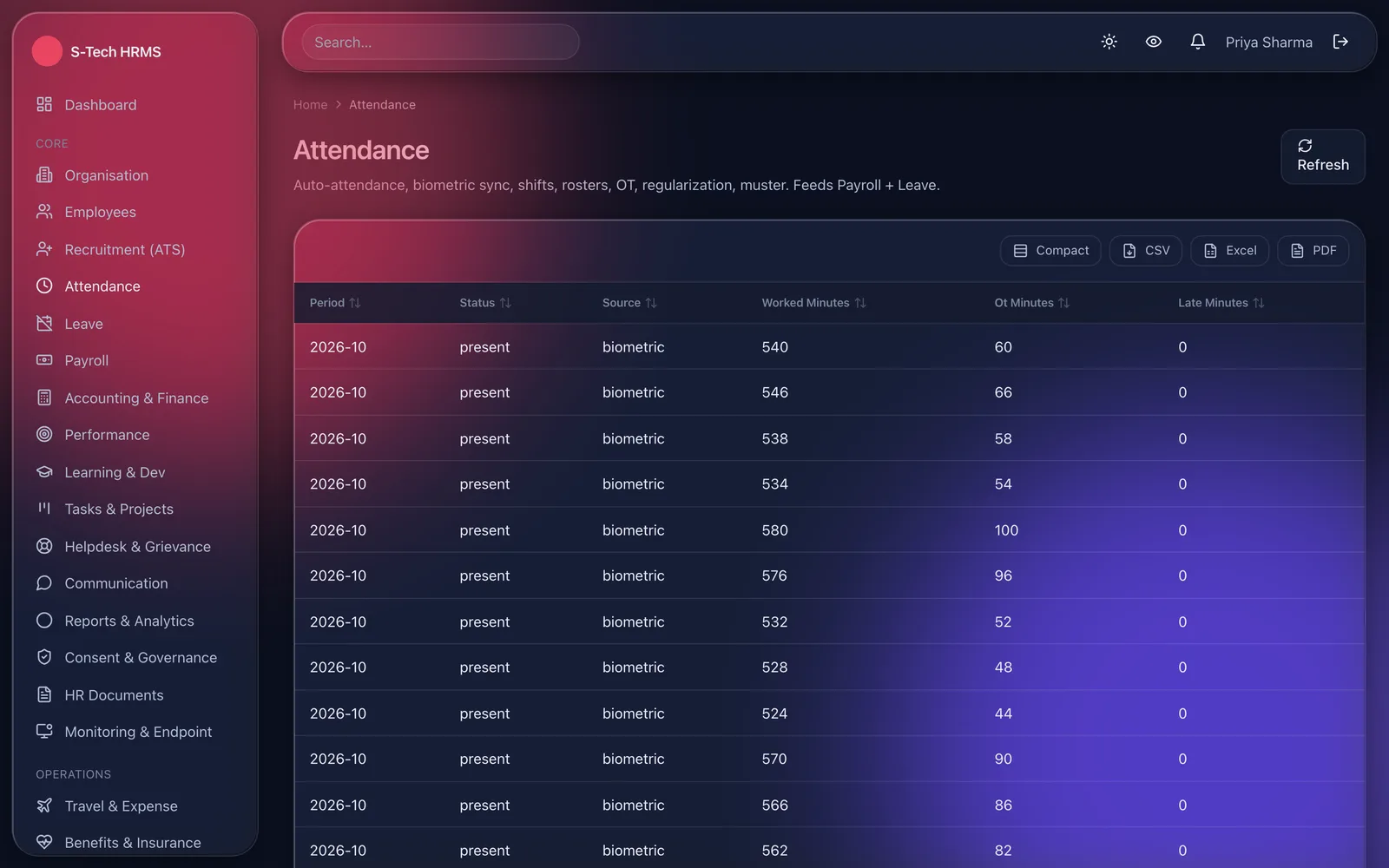
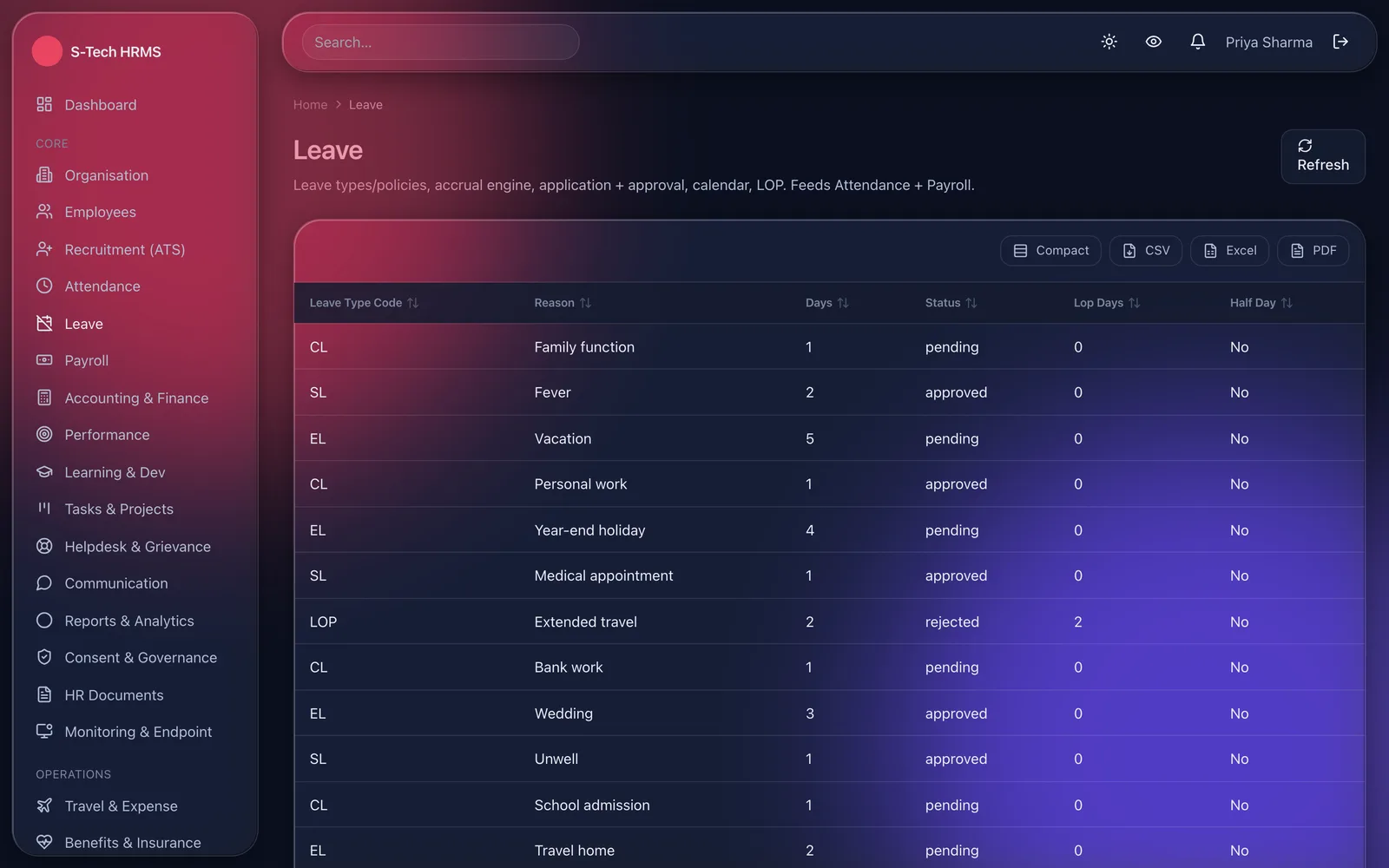
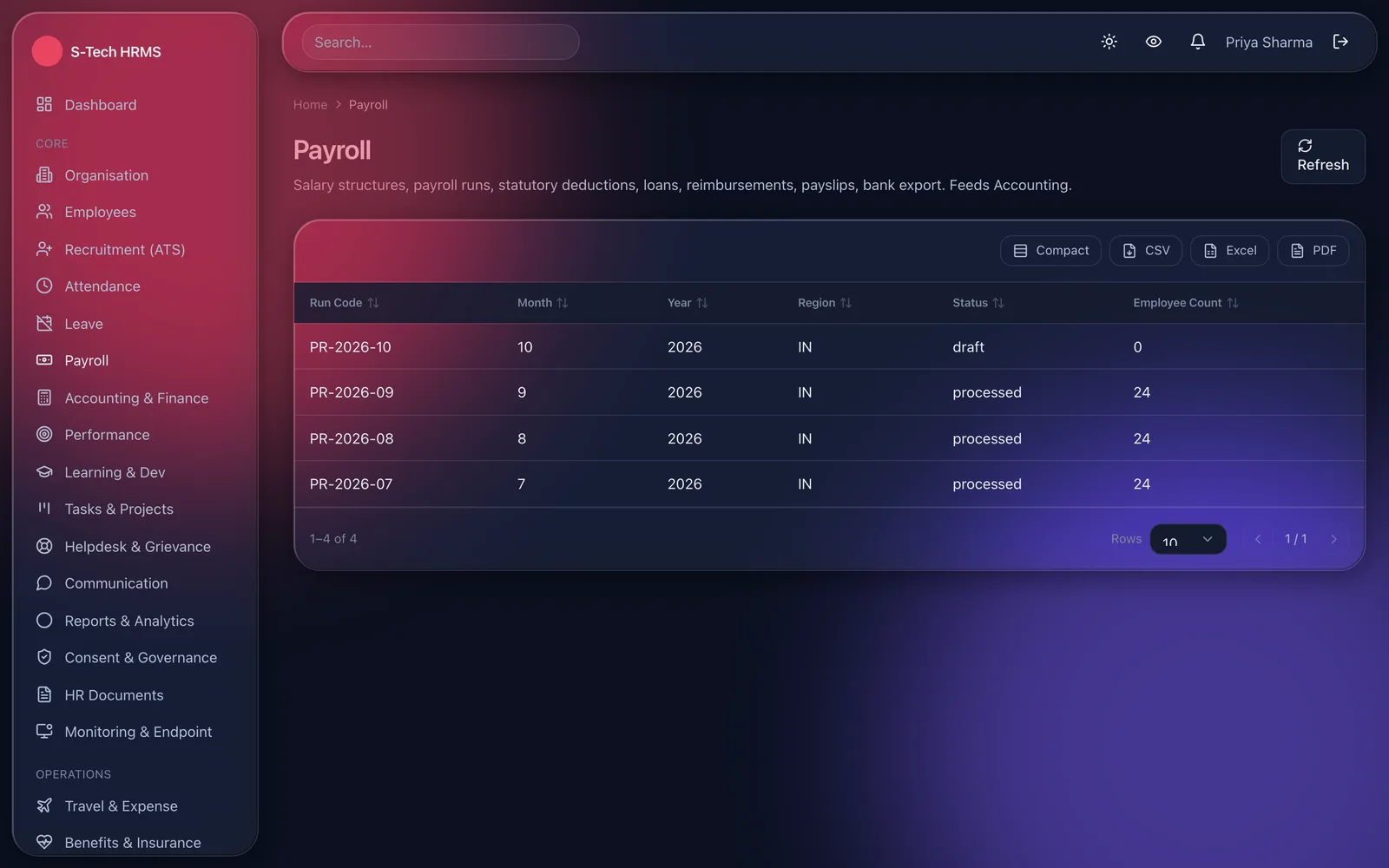
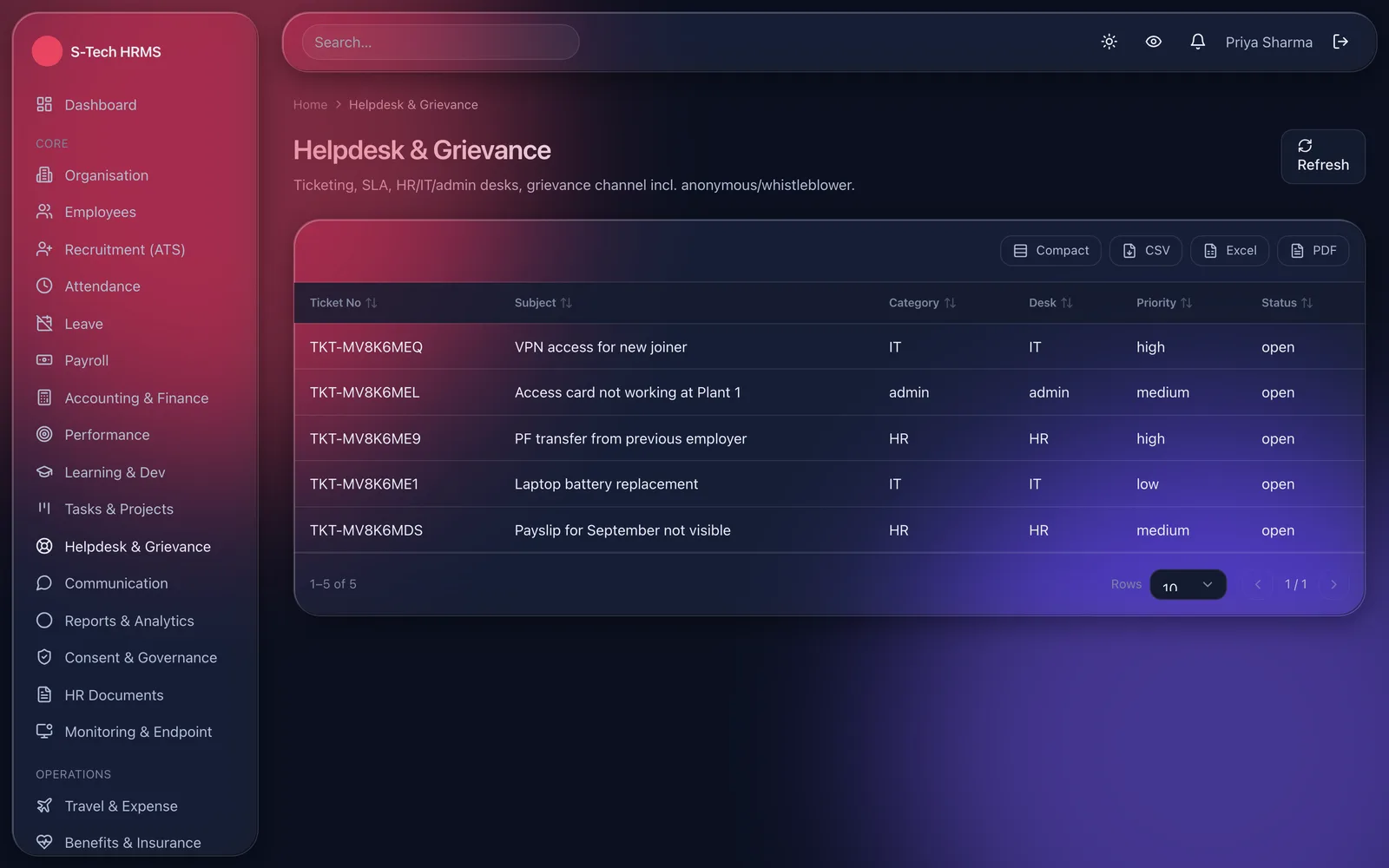
S-Tech HRMS handles the employee from requisition to full-and-final. Attendance comes in from biometric or RFID terminals and the desktop app, leave follows the accrual and carry-forward rules you set, and payroll is processed from the finalised month with PF, ESI, professional tax and TDS applied. Payroll needs a second person to approve, posts its salary journal to the accounts, and produces payslips and the bank transfer file. Each company only sees the modules it has licensed, and each user only sees what their role allows.
Why this exists
What it fixes
These are the problems clients describe to us before they buy. If none of them sounds like your week, this may not be the right product — tell us and we will point you at a better one.
What we hear
Attendance data is exported from a device, cleaned in Excel and typed into payroll, which takes days and introduces errors.
Leave balances are argued about because the policy in the handbook and the policy in the spreadsheet are not the same.
Payroll is prepared and released by the same person, with nothing recording who changed what.
Offer letters, relieving letters and salary certificates are retyped from old Word files every time.
What is inside
12 modules
Every deployment turns on the modules you need. Nothing here is a separate purchase unless the plan says so.
Organisation & employee master
Companies, branches, departments, designations, cost centres and holidays. Employee records with bank, salary and ID numbers stored encrypted, plus onboarding, confirmation, transfer and offboarding.
Recruitment
Requisitions, job postings, candidate pipeline, interview rounds and offers, with the selected candidate converted straight into onboarding.
Attendance
Punches from biometric and RFID terminals, desktop punch with optional IP restriction, fixed, rotational and night shifts, roster generation, overtime approval, regularisation and the monthly muster.
Leave
Leave types with monthly or yearly accrual, carry-forward, encashment and comp-off, multi-level approval, loss of pay and a leave calendar. Approved leave updates attendance.
Payroll
Salary structures, attendance-linked runs, PF, ESI, PT and TDS, loans, reimbursements, arrears and payslips. Maker-checker approval, NEFT, RTGS or IMPS bank file, and a salary journal posted to accounts.
HR documents
Template-driven offer, appointment, confirmation, relieving, increment and termination letters, experience and salary certificates, payslips and the full-and-final statement.
Performance & learning
Goals, OKRs and KPIs, appraisal cycles with 360 reviews, improvement plans and increment recommendations. Training catalogue, course assignment, skill matrix and certificate expiry tracking.
Helpdesk, chat & tasks
HR, IT and admin ticket desks with SLAs, an anonymous grievance channel, team chat and announcements, and projects with Kanban boards and timesheets.
Workplace operations
Travel requests and expense claims, benefits and insurance, visitor check-in, room booking, canteen, fleet, gate passes, shift swaps and uniform or tool issue with recovery on exit.
Site deployment & field staff
Deploy own and agency staff to client sites with site-wise rosters, check-in and cost centres. Beat plans, orders, leads and expenses for sales, delivery and medical representative teams.
Reports
Headcount, attendance, leave and payroll summaries, a custom report builder, scheduled report email, and CSV, Excel and PDF export from every list.
Roles, audit & monitoring
Role permissions down to field level, data scope and approval chains. A tamper-evident audit log of every change, and optional endpoint monitoring that only runs with recorded employee consent.
The RFID difference
What RFID adds over manual and barcode
Barcode and manual entry still work everywhere in this product. This is what changes when you add RFID on top.
- An RFID card is read as the employee walks in, so there is no queue at a fingerprint reader at shift change.
- Contactless attendance suits factory floors and clean areas where fingerprint readers are impractical.
- Card punches go straight into the attendance record that payroll reads, so there is no register to reconcile at month end.
Deployment
Cloud, your server, or no internet at all
The same software either way. This is a deployment choice, not a different edition with fewer features.
Cloud
Hosted and managed. Nothing to install, live in days.
Self-hosted
On your own server, inside your building. You own the database.
Fully offline
Runs on a local network with no internet at all, and syncs when one returns.
Runs on
- Windows
- macOS
Integrates with
- Biometric and RFID attendance terminals
- Bank transfer files (NEFT, RTGS, IMPS)
- Built-in accounting ledger for salary journals
- Email and SMS notifications
- Local or Amazon S3 file storage
Who it is for
- Companies that want HR on Windows and Mac desktops
- Factories with shift-based workforces
- Multi-branch businesses
- Staffing and facility companies deploying staff to client sites
- Sales, delivery and medical representative field teams
How it is sold
Plan tiers
Actual pricing depends on modules, users, sites and whether you host it yourself, so it is quoted. These tiers tell you where you would sit.
Starter
Organisation, employee records, attendance, leave, team chat and the basic HR letters.
Get a priceGrowth
Everything in Starter plus payroll with statutory deductions, recruitment, performance, learning, helpdesk, tasks, travel, benefits and reports.
Get a priceFull
Every module, including accounting, endpoint monitoring, site deployment, field force and the workplace operations modules.
Get a priceEvery S-Tech product
The same nine promises, on all 22 products
These are not per-product features. They apply to everything we build, and they are the reason our software works on sites where other systems do not.
RFID-first
Every product is built around RFID speed and modern technology from the start, not bolted on afterwards.
Any RFID hardware
Ready to configure with any make of RFID hardware. Barcode, QR code and traditional manual methods work by default.
Runs anywhere
Web, Windows, macOS, Linux, Ubuntu, Unix and Android. Your team uses the machine it already has.
Online or offline
Works fully online in the cloud, or fully offline on a local server, and syncs when a connection returns.
Self-hosted option
Host it on your own server and keep the data inside your building. No dependence on our infrastructure.
White-label
Available under your own brand — logo, colours, product name and domain.
Customisable
Every deployment is unique. Modules, fields, forms, reports and workflows are changed to fit your process.
Performance & reliability
Built for speed and uptime under real load, on real hardware, in places with unreliable power and network.
Secure by design
Encrypted data, role-based access, full audit trail and scheduled backups. You own the data.
A note on wording: where we say "fully offline" we mean the system runs on a local server on your own network with no internet connection, and syncs when one returns. Where we say "secure" we mean encrypted data, role-based access, a full audit trail and backups you control. We would rather be specific than round it up to 100%.
Questions
Before you ask us
The things buyers actually check. If your question is not here, ask it — we answer honestly, including when the answer is no.
Will it work with our existing attendance devices?
Terminals that can push their punch logs can be connected. Each device enrolment number is mapped to an employee and the punches land in attendance. Tell us the make and model and we will confirm before you buy.
Can it handle contract labour separately from staff?
Yes. Agency and subcontractor staff are kept as separate records, deployed to sites with their own rosters, attendance and cost centres.
Can we host it ourselves?
Yes. It runs in our cloud, on a dedicated server, or on your own network. A fully offline site gets a time-limited licence file that is renewed periodically.
What happens if the internet drops?
The desktop app keeps working from its cached licence for a set grace period, queues changes and syncs them when the connection returns.
Is the screen monitoring always on?
No. It is a separate licensed module, it only runs on company-owned devices with the employee's recorded consent, and the app shows a visible notice whenever it is active.
Related products and solutions
Software
Corporate ERP
HR, accounts and projects in one platform
Read moreSoftware
Smart Attendance System
Hands-free attendance that walks through the door
Read moreSoftware
Accounting & Tax Filing Software
Books, invoicing and GST that stay ready to file
Read moreSoftware
Entrance Automation System
Gates, visitors and vehicles handled without a register
Read moreSolution
Entrance, Attendance & Access Control
One credential for the gate, the door, attendance and the canteen — with a record of everything.
Read moreSee HRMS on your own data
A demo runs on your process, not a canned dataset. Bring a real scenario and we will show you how it handles it — including the parts it does not.
Or call +91 97305 32888 — Monday to Saturday, 9:30 am to 6:30 pm.